Change your
location with Wiped.
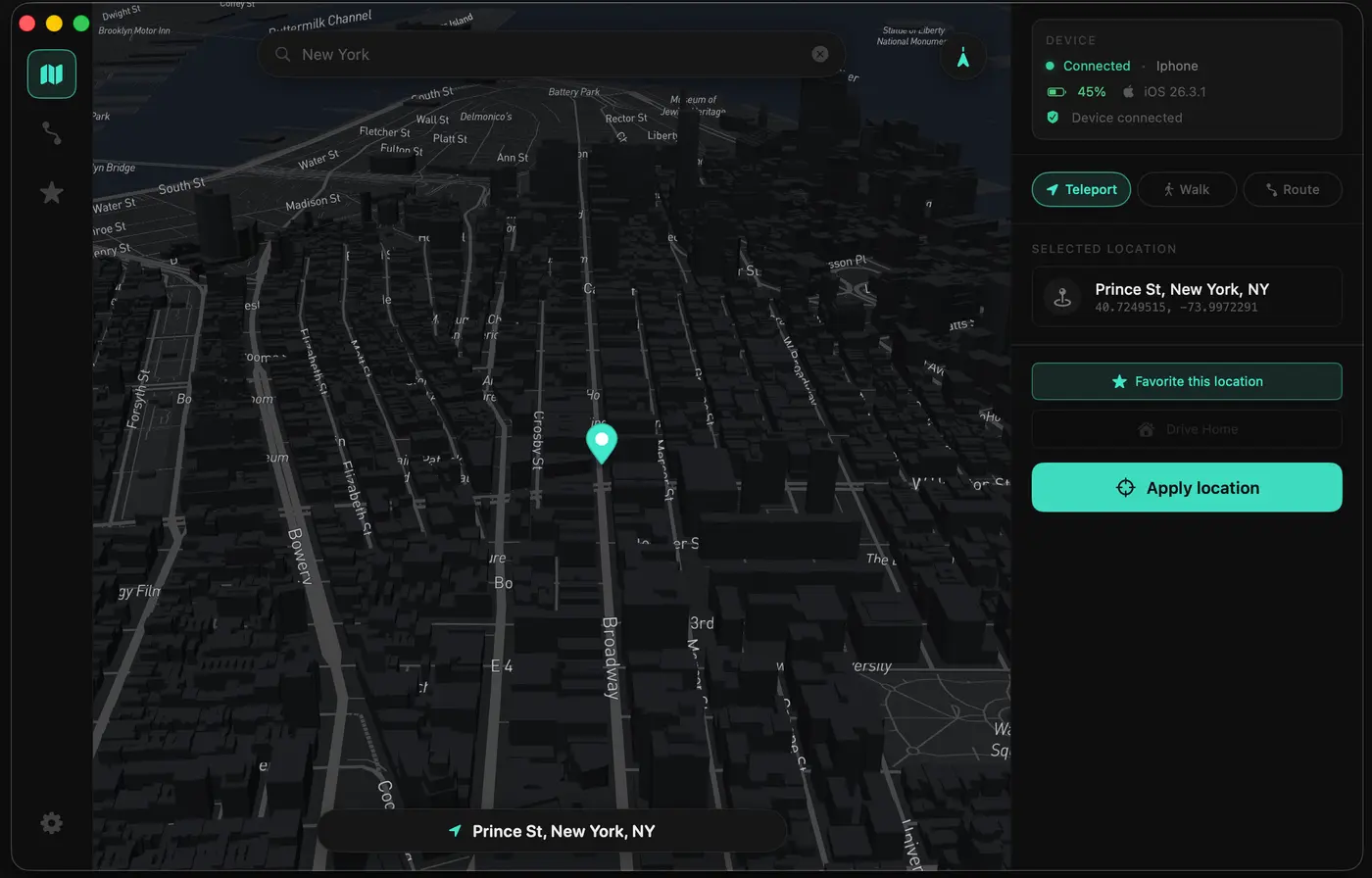
Wiped is an iPhone location changer and GPS location spoofer you control from the Wiped app, Mac, or Windows PC. Teleport anywhere or create a realistic route. No jailbreak.
An iPhone location changer you control from your phone.
Set up Wiped once, then change your GPS location, teleport, and build routes directly from your iPhone.
1. Set up Wiped
Use Wiped Setup on a Mac or Windows computer once
2. Pick a location
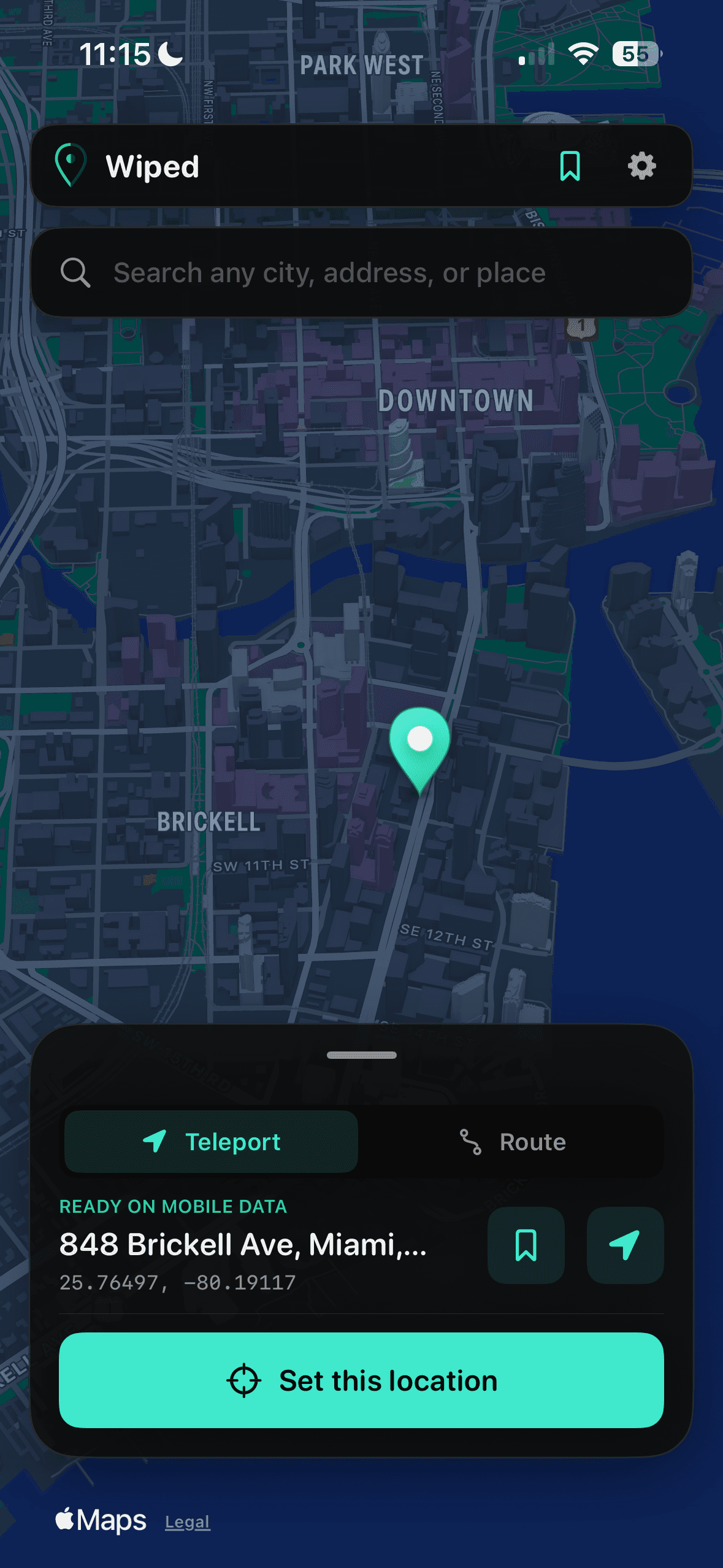
Open Wiped on your iPhone and search any city, address, or place
3. Start spoofing
Tap Set this location. Your computer can stay disconnected
Everything you need, on iPhone.
Teleport Mode
Search for a place and set your iPhone's location in a few taps.
Built for iPhone
After setup, choose locations and build routes directly on your iPhone. No computer needs to stay connected.
Route Builder
Build a custom route between any locations complete with realistic stops and set your own travel speed
Saved Locations
Save routes and favorite locations, then bookmark and organize them for anywhere in the world
Pick your plan.
Weekly
Flexible week-to-week access. Cancel anytime.
- Full feature access
- Phone-only spoofing included
- iOS 17/18/26 support
- Realistic Movement
- Draw your own path
- 5 hrs/wk Web Spoofing
Monthly
Perfect for short term projects or occasional usage. Cancel anytime.
- Full feature access
- Phone-only spoofing included
- iOS 17/18/26 support
- Realistic Movement
- Draw your own path
- Regular updates included
- Access to Web Spoofing
- Web Spoofing for 1 account
Annual
Best value. Billed once a year, cancel anytime.
- Full feature access
- Phone-only spoofing included
- iOS 17/18/26 support
- Realistic Movement
- Draw your own path
- Lifetime updates included
- Access to Web Spoofing
- Web Spoofing for up to 3 accounts
Free Trial
Try Wiped for 3 days with full access. No commitment.
- Unlimited desktop teleports
- Phone-only spoofing included
- iOS 17/18/26 support
- Upgrade anytime
- 3 hours Web Spoofing
Frequently Asked Questions
Changelog
See what we've been working on to improve your experience.
- •Compatible Setup prepares signed iPhone updates. Check for updates in Wiped with LocalDevVPN connected and location sessions stopped. Updating does not extend signing expiry; renewal is still separate.
- •Personalization lets you choose a custom installed app name and import an app icon, or restore the originals. Your choices are retained through phone updates and renewal. A computer reinstall can reset an imported icon.
- •Reopening after a successful renewal shows a confirmation with the actual signing expiry.
- •Live Activity and Siri controls are under Connection & alerts. You can hide the Live Activity while leaving your location session running, or disable Siri location actions.
- •Setup and renewal can display service notices without blocking use. The download page has its own separate notice.
- •Apple sign-in supports verification codes shown on a trusted Apple device. SMS-only Apple Account sign-in remains under investigation.
- •Mac and Windows Setup 1.2.0 are available. Keep Fresh install unchecked when reinstalling to retain existing data.
- •Mac Setup 1.1.9 uses updated device verification and supports Apple sign-in with a verification code displayed on a trusted Apple device.
- •Mac and Windows Setup 1.1.9 include the updated Apple sign-in flow for codes shown on a trusted device. SMS-only Apple Account sign-in may still stop before a code is sent.
- •Privacy details identify the device-verification service and the machine data it receives. Your Apple Account password and verification codes go only to Apple.
- •Mac and Windows Setup include the matching iPhone app and Live Activity 1.1.9/build24. The iPhone payload uses the new version metadata; iPhone features and renewal behavior are unchanged.
- •Updating either installer does not replace Wiped on your iPhone by itself. Run Setup to install the matching phone app, and keep Fresh install unchecked to retain your settings.
- •Improved Apple sign-in, verification-code handling and certificate recovery for installation and iPhone renewal.
- •Expired device verification now offers an explicit recovery action. Temporary service failures retain clear retry guidance.
- •Renew Wiped is easier to find, with short retry guidance and additional sign-in details available when needed.
- •Automatic renewal can run when due while an enrolled Wiped app is open and idle, with phone signing setup ready and LocalDevVPN connected. Apple verification may still need your help; it does not wake a force-quit app.
- •iPhone Settings now uses focused categories while preserving existing preferences and recovery tools.
- •Recenter follows the active location or current route position. While idle, hold it to choose a real-location or dropped-pin camera view.
- •Standard and Satellite are the two map styles. Existing Hybrid preferences resolve to Satellite.
- •The Dynamic Island adapts more cleanly when screen recording or another activity shares its space.
- •Mac Setup has a shorter Apple Account explanation, full Privacy details, optional automatic-renewal enrollment selected by default, and a simpler completion screen.
- •The signed and notarized universal Mac installer includes the matching 1.1.8/build22 iPhone app and Live Activity payload. Updating Setup does not replace the installed iPhone app by itself; run Setup to reinstall Wiped on the phone.
- •Keep Fresh install unchecked to retain your settings. Before deleting Wiped, complete updated Setup and confirm Settings backed up. Phone-only version updating remains separate future work.
- •Recover preferences, saved places, complete routes and recent destinations after reinstalling the iPhone app through updated Setup.
- •Optional Stop after timer with hours and minutes, plus Lock Screen and Dynamic Island countdowns. Spoofing stays indefinite by default.
- •Faster fresh startup on mobile data and clearer Wi-Fi or Airplane Mode connection steps.
- •Revisit your last five destinations in search, clear recent history, or hide recent locations in Settings.
- •Fresh install appears only when a backup exists. Returning users get a quick permission check; fresh installs show onboarding again.
- •A small What’s new card introduces the update, and tutorial Skip now asks for confirmation.
- •Installer improvements include a manual dashboard update fallback, a visible version and build, and fewer repeated password-save prompts.
- •Apple sign-in and renewal fixes address earlier 503/429 errors and verification-code recovery. Stop feedback confirms the iPhone accepted the request.
- •Before deleting Wiped, complete updated Setup once and confirm Settings backed up. Keep Wiped running for timers: force-quitting prevents automatic Stop and iOS suspension can delay it.
- •Fixed an installation issue that affected some Mac users.
- •Removed the three-spoof limit for trial users.
- •Trial users now have access to iPhone-only spoofing.
- •Major routes update with walking routes and Realistic Mode.
- •Introducing Web Spoofing: set your connected account location straight from your browser. No app, no laptop required.
- •Drive along real routes and have your speed appear live in the connected service, just like a real trip.
- •Wireless spoofing is now available on Mac & Windows connect once via USB, then go fully wireless on the same network.
- •Weekly plan is now available for more flexible billing options.
- •Windows support is live! Download the new client directly from your dashboard.
- •Hotfix: Fixed a bug that prevented some users from logging in.
- •Initial release of Wiped.